For plumbers, electricians, HVAC techs, appliance repairers, handymen and property maintenance crews
Document jobs, send invoices and get paid from your phone
VisitIO is a field-service app for people who do the work themselves. It works offline. The free plan includes unlimited jobs, estimates and clients, and 10 invoices a month.
iPhone beta via Apple’s free TestFlight app.

One app instead of six
Use one app for the whole job
Most tradespeople run the day across a calendar, a notes app, a mileage tracker, a cloud drive and an invoicing app, with a spreadsheet for taxes. VisitIO puts each of those steps where the job happens, so you stop switching apps and stop paying for the ones you no longer need.
- Calendar app
- Notes app
- Mileage tracker
- Cloud drive
- Invoicing app
- Spreadsheet
The apps many tradespeople use today


VisitIO
VisitIO does all of this
How a job moves through VisitIO
- Request
- Schedule
- Drive
- Do the work
- Invoice
- Get paid
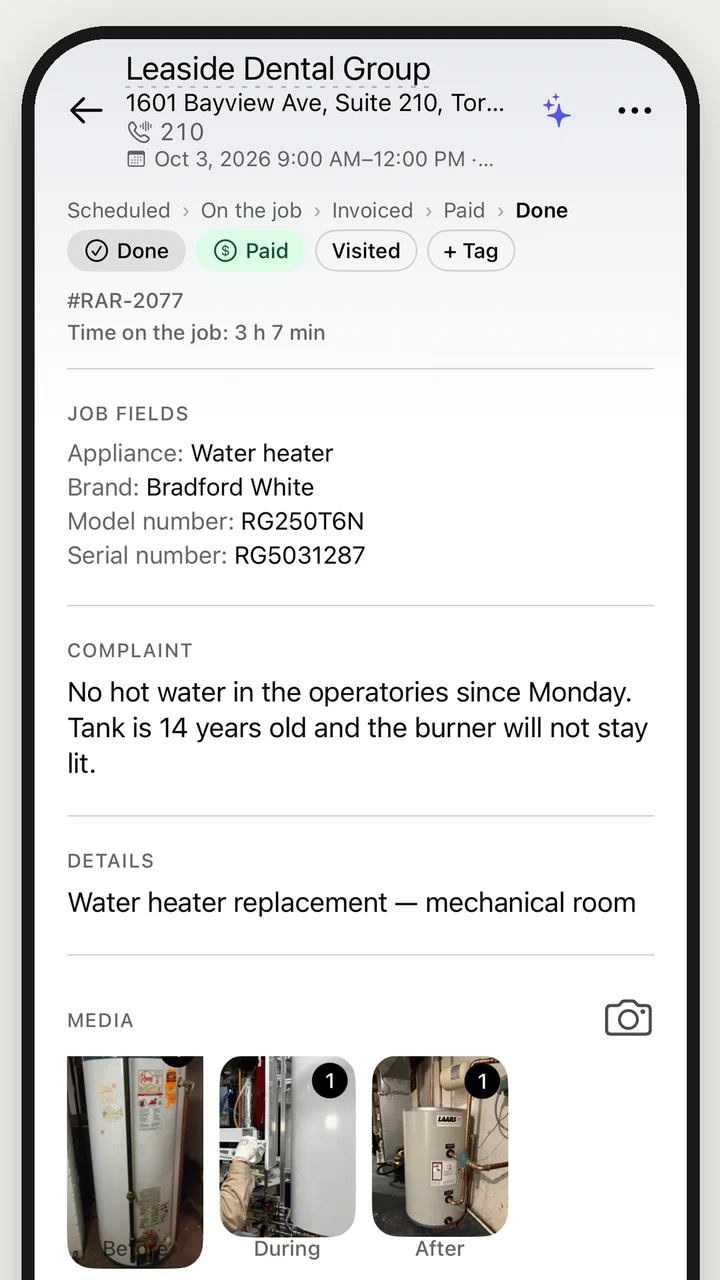
Document the job on site
Record photos, videos, notes and equipment details on the job while you are there.
- Before, during, after photos
- Job videos
- Fields for your trade
Send estimates and invoices
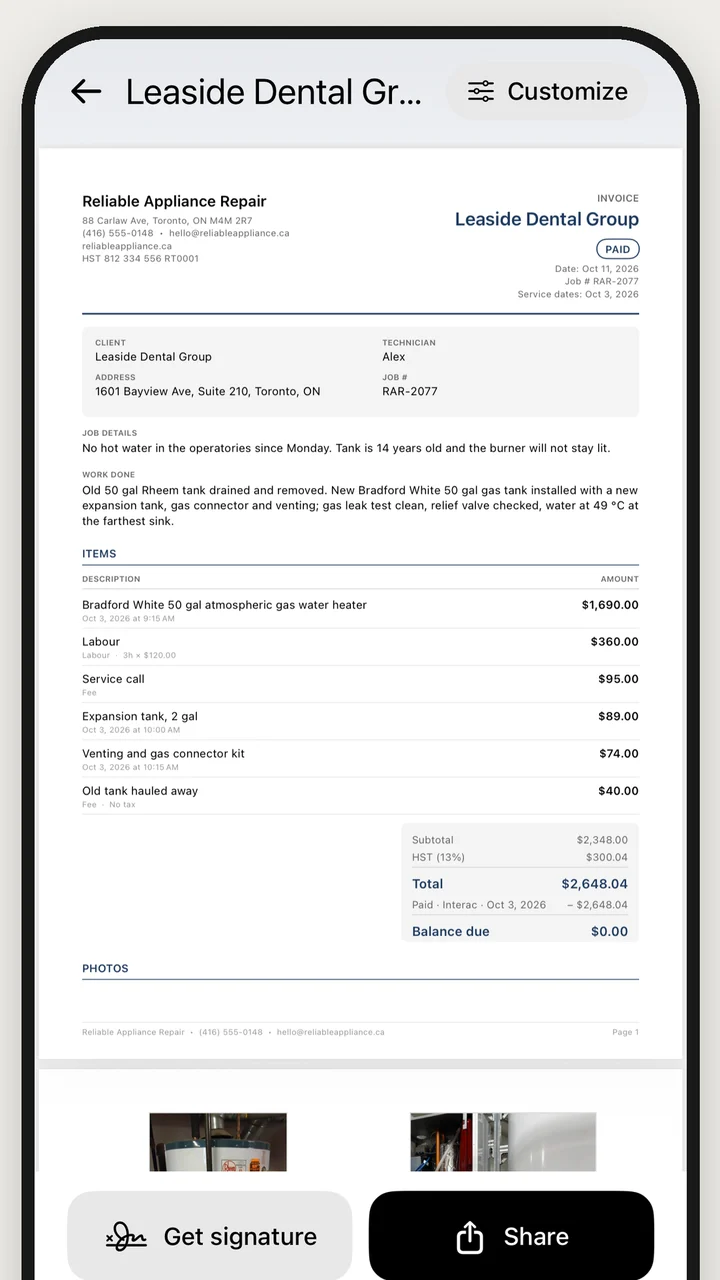
VisitIO turns the job's photos, parts and hours into an estimate or invoice PDF, so you don't type anything twice.
- Branded PDFs
- Client signature
- Taxes done right
Get paid by card or transferPro
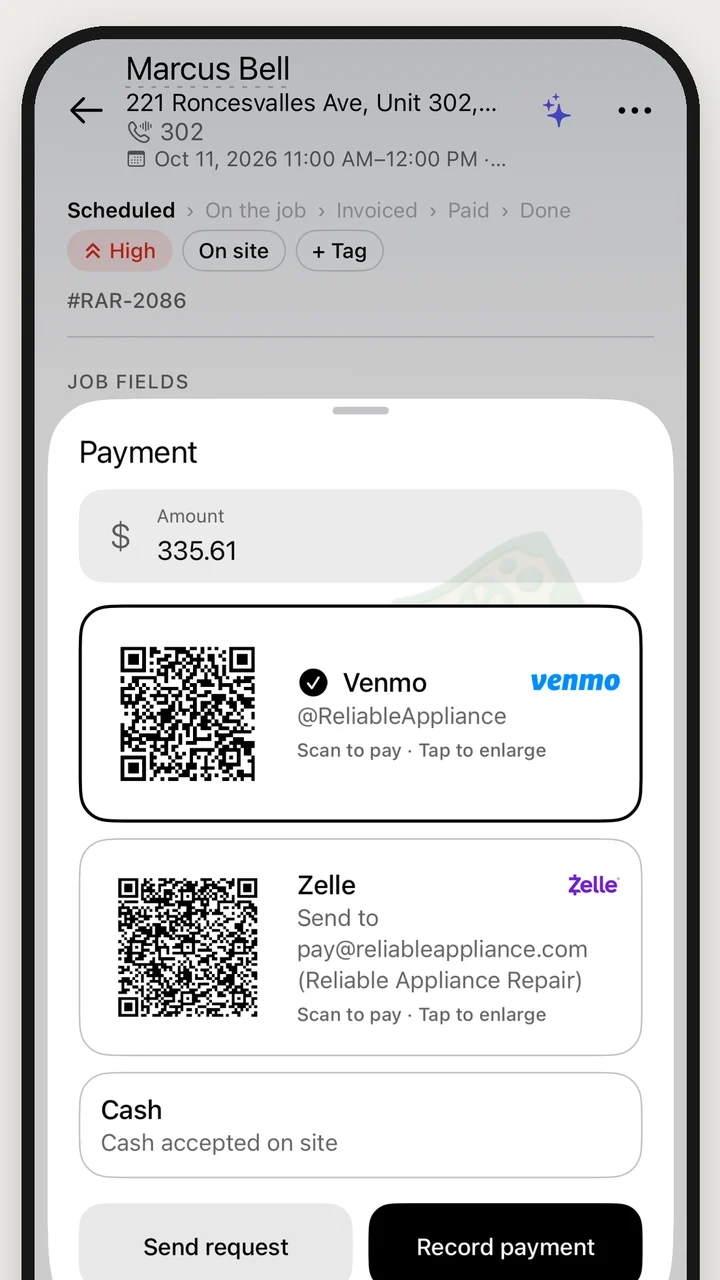
Your client can pay by card, Apple Pay, Google Pay or a transfer app such as Venmo or Interac. The money goes to your bank.
- Card and Apple Pay
- Venmo, Zelle, Interac, Pix
- No VisitIO cut






Get job requests from customersPro
Customers fill in a request form at your own link, visitio.site/r/your-business, and the job appears in VisitIO.
- Your own link
- Website button
- Spam protection


visitio.site/r/your-business
Ask AIPro
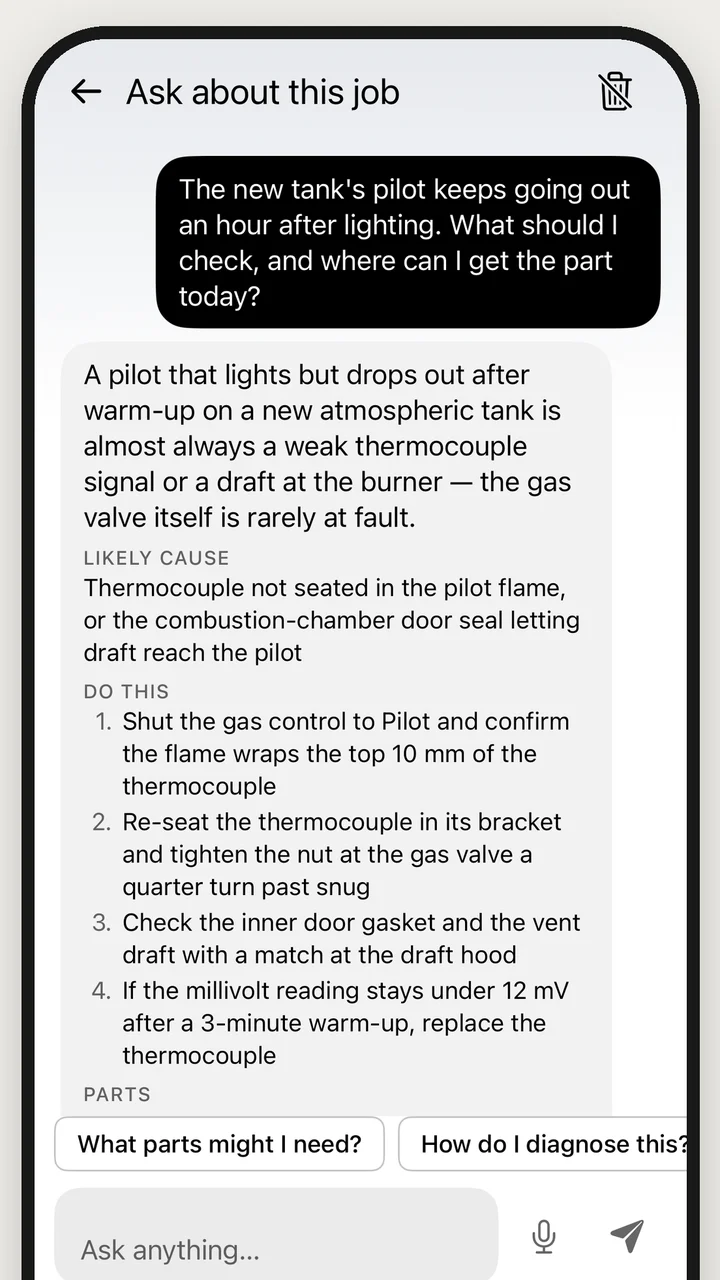
Ask questions about a repair or your business. Ask AI can also create jobs and schedule visits, but only after you confirm.
- Diagnose the job
- Who owes what
- Acts when you confirm
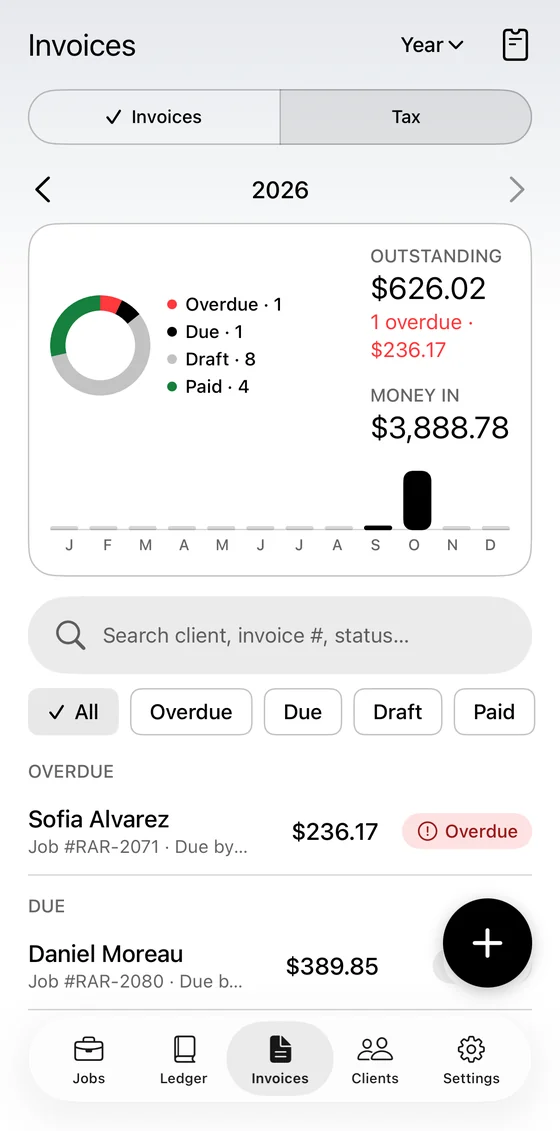
Track income, expenses and tax
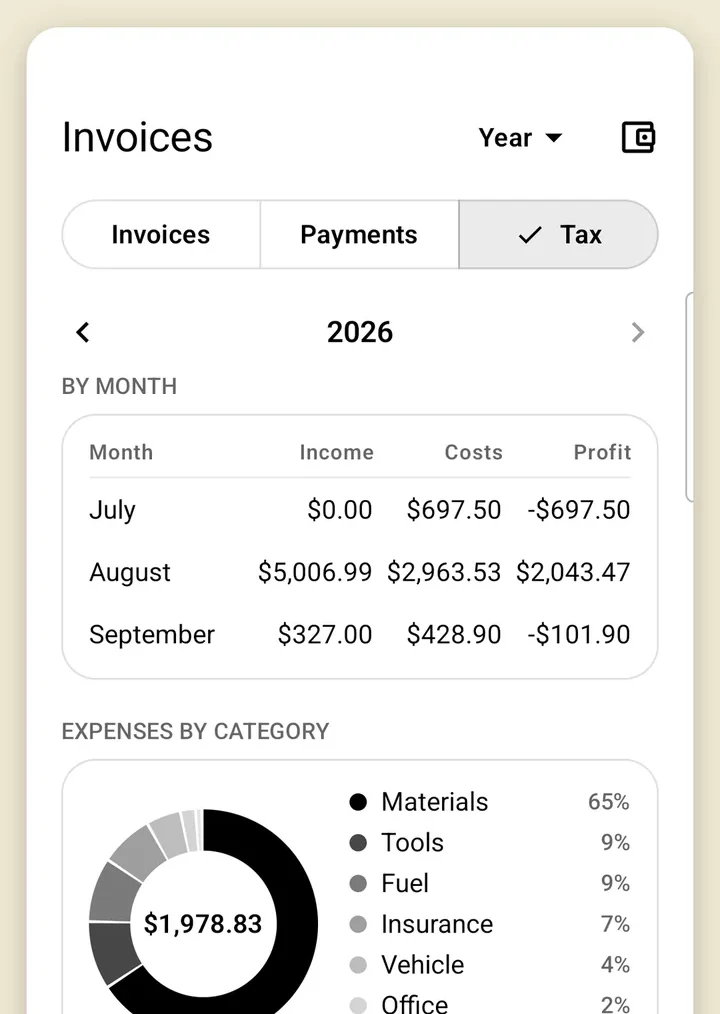
See income, expenses, sales tax and profit by month, and export everything for your accountant.
- Profit by month
- Sales tax owing
- Accountant export
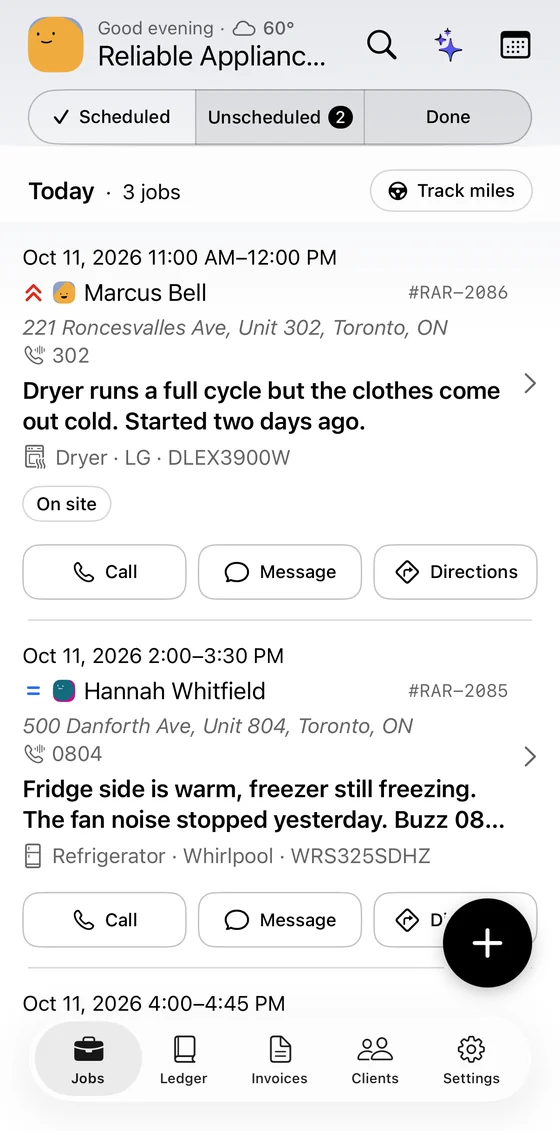
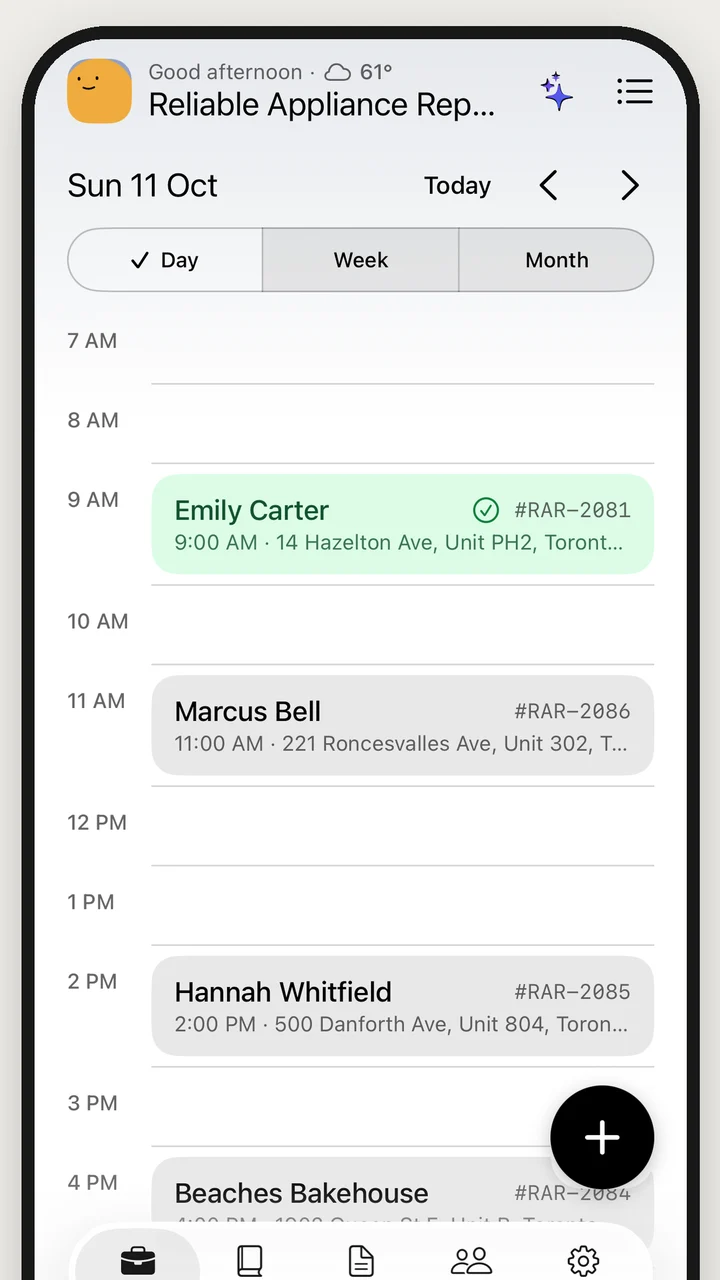
Manage clients and your schedule
Keep each client's jobs, invoices and payments together, and schedule visits on a calendar.
- CSV import
- Phone calendar sync
- Recurring jobs
Keep a parts and price list
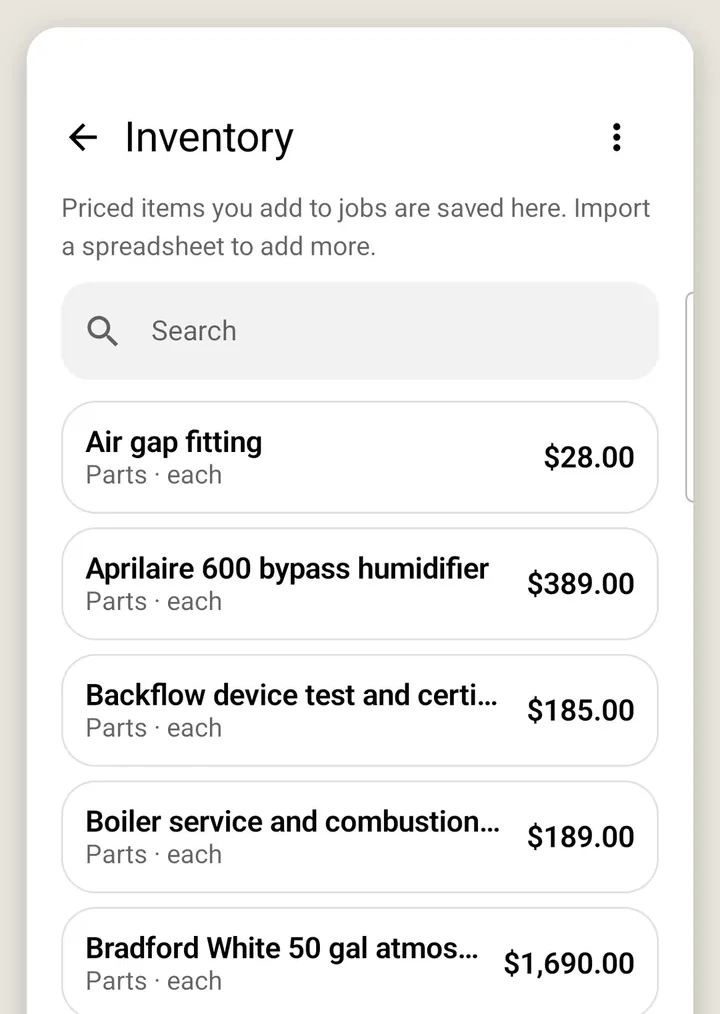
Save your parts with cost and price, so you can add them to estimates and invoices.
- Cost and price
- Reorder levels
- CSV import
Available in four languages
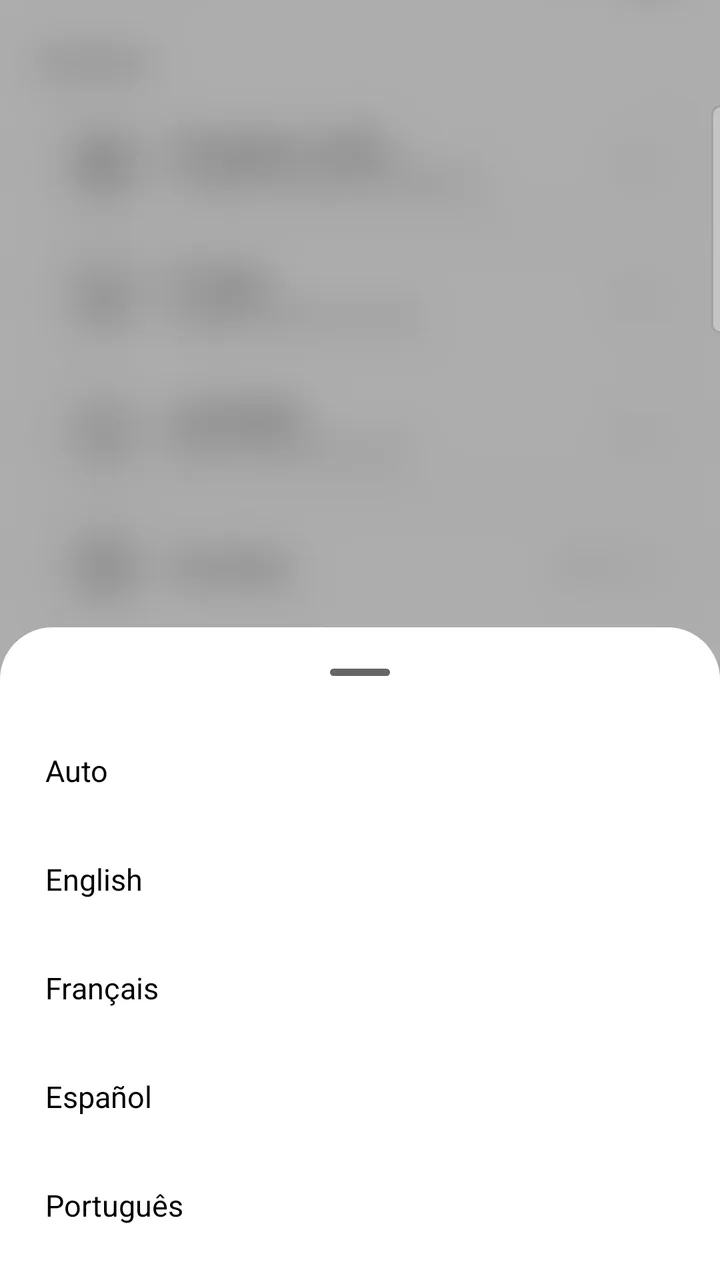
The app, PDFs and reminders are available in English, Spanish, French and Portuguese.
iPhone beta via Apple’s free TestFlight app.
Common questions
What can I record on a job?
Photos tagged before, during and after, straight from the camera. Job videos with a link the client can watch, so a noisy compressor or a leak is on record (Pro). Unit number and buzzer code on the job card and in the header, so you find the right door. Custom fields per trade: model and serial numbers, the appliance in question, panel, refrigerant, whatever you track. Labels, priority, several visits on one job, and recurring jobs for maintenance contracts.
What goes on my estimates and invoices?
Branded PDFs with your logo and colour, photos and totals; client signature on the phone. A summary of work written with AI from your notes and items, never quoting amounts (Pro). Your own terms and conditions and warranty period, one set for estimates and another for invoices. Taxes done right: HST, GST, IVA or any named tax, a second line such as GST + QST from the same base, saved rates you pick per job when you work across provinces or counties, your registration number printed, tax-exempt clients with their certificate number. Deposits and balance due, payments listed with method and date, and a paid service call credited against the repair invoice.
Which ways can clients pay me?
One pay link and QR per invoice: a hosted page at pay.visitio.site with your business name and every method you accept. Card, Apple Pay and Google Pay through Stripe, paid to your bank with no VisitIO fee; card payments are detected and the job marked paid. Venmo, Zelle, Interac e-Transfer, Pix, SPEI, PayID, bank transfer or cash at no fee. Venmo, Zelle and Pix show a QR on the PDF and full screen on the phone; for Interac, SPEI and PayID the client gets the transfer details. Due dates, overdue tracking, one-tap reminders, and appointment confirmation texts that carry the pay link.
How do customer requests work?
The customer describes what is wrong, adds the key details for your trade (appliance, brand, model), the address with unit number and buzzer code, photos and preferred times, in their language. The job lands in your Unscheduled list with a push notification; the contact is created or matched by phone number and the photos are tagged Before. A “Request service · with VisitIO” button for your own website, black or white, copied from the app. Spam protection built in: Cloudflare Turnstile and rate limits, and you can pause the link at any time.
What can Ask AI do?
Ask about the job: how to diagnose it, which part and roughly what it costs, and real stores nearby that stock it. Ask about the business: who owes what, how the month is going. Paste a customer's text message and it schedules the visit or creates the job; add a note, change a detail or draft a reply to the client just by asking. Plan the best route for the day's jobs and open it in Google Maps with live traffic; open the invoice or estimate editor from the chat. Write with AI drafts the summary of work for your documents. Nothing changes without a tap from you.
What does the Tax tab track?
Income after sales tax, cost of materials, card processing fees and expenses in 16 categories, from subcontractors to licences and meals; profit by month. Net sales tax owing: what you collected minus what you paid on expenses. Mileage deduction from the round trip to every visit, at IRS or CRA standard rates or your own (distances computed automatically on Pro). Estimated income tax to set aside, with the next US or Canadian instalment date. Accountant export: invoices, items, payments, expenses, P&L and mileage as CSV plus every receipt image, in one zip.
How do clients and scheduling work?
Clients with company, phone, email, address and tax-exempt flag; their jobs, invoices and payments on one page. Import clients from any CSV (Zoho, HubSpot, QuickBooks, Google Contacts; columns detected automatically) or from your phone contacts. Calendar that syncs to your phone’s calendar, including Google Calendar accounts (Pro), with a default visit length and the gap you want between jobs. Several visits per job and recurring jobs for maintenance contracts.
How does inventory work?
Parts with cost and price, SKU, quantity on hand and a reorder level. A shopping list of the parts planned for upcoming jobs. CSV import from your supplier or your old app.
Which language do my documents go out in?
English, Spanish, French and Portuguese. Every screen, every PDF and every reminder in the language you and your clients speak. The app follows your phone's language or the one you pick in Settings, and documents go out in the language of the country you bill in, so a client in Brazil reads Portuguese and one in Mexico Spanish.
Is there a limit on estimates or invoices?
Estimates, jobs and clients are unlimited on every plan. Free includes 10 invoices a month, and every friend who joins with your referral code adds 10 more; Pro has no invoice limit.
Do I pay per user or per seat?
No. VisitIO is priced for one person doing the work: one flat price for Pro, AI included. There are no seat fees. A team plan for crews is planned as a separate product.
Does VisitIO take a cut of my card payments?
No. Card payments go through your own Stripe account and land in your bank. You pay Stripe's standard processing fee and nothing to VisitIO. Venmo, Zelle, Interac e-Transfer, Pix, SPEI and PayID payments cost nothing at all.
Does it work without signal in a basement or on a rural job?
Yes. Everything on the phone works offline: jobs, photos, notes, estimates, invoices, signatures. Anything that needs the internet, like sending a pay link or Ask AI, waits and runs when you are back online.
Can I bring my clients and price list from another app?
Yes. Import clients from any CSV: exports from Zoho, HubSpot, QuickBooks or Google Contacts are recognised and the columns matched automatically, or pull them from your phone contacts. Inventory imports from CSV too. Job history from other apps is not imported; new jobs start in VisitIO from day one.
Is the AI metered with credits?
No credits. Ask AI comes with Pro at no extra charge, with a fair-use ceiling of 40 questions a day, generous enough for a full day of jobs. Unused questions are not something you buy or lose.
Can the AI change my data on its own?
No. Ask AI can schedule a visit from a pasted text message, create a job, add a note, draft a reply or plan your route, but it always shows what it is about to do and waits for your tap. Nothing changes without your confirmation.
Does it handle sales tax across provinces or states?
Yes. Name your taxes (HST, GST, IVA…), print a second line such as GST + QST from the same base, save the rates you use and pick one per job, print your registration number, and mark clients tax-exempt with their certificate number. The Tax tab then shows the net sales tax you owe: collected minus what you paid on expenses.