Invoicing
Create invoices on site and get paid
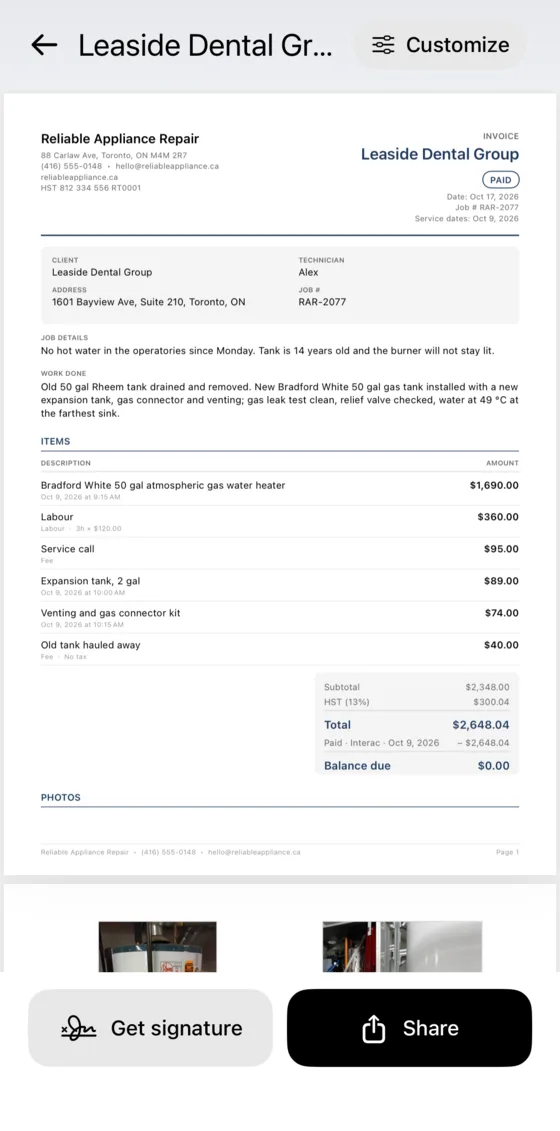
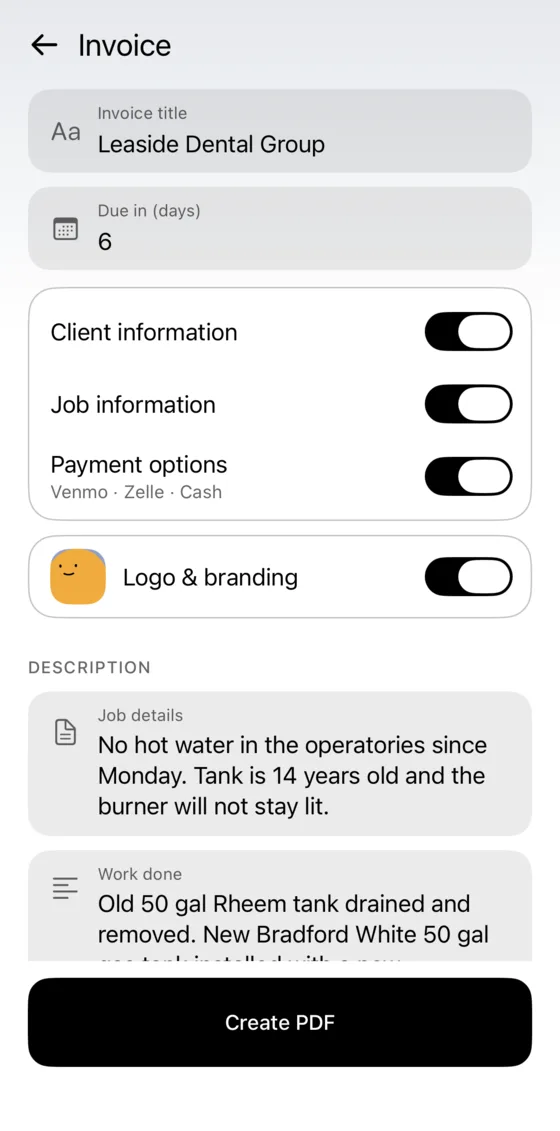
VisitIO builds the invoice from the job you documented. Your client signs on your phone and pays by card, Apple Pay, Google Pay or a transfer app.
iPhone beta via Apple’s free TestFlight app.
- VisitIO fee on payments
- 0%
- VisitIO fee on payments
- payment methods supported
- 11
- payment methods supported
- invoice languages
- 4
- invoice languages
- create and sign invoices without signal
- Offline
- create and sign invoices without signal
How invoicing works

- 1
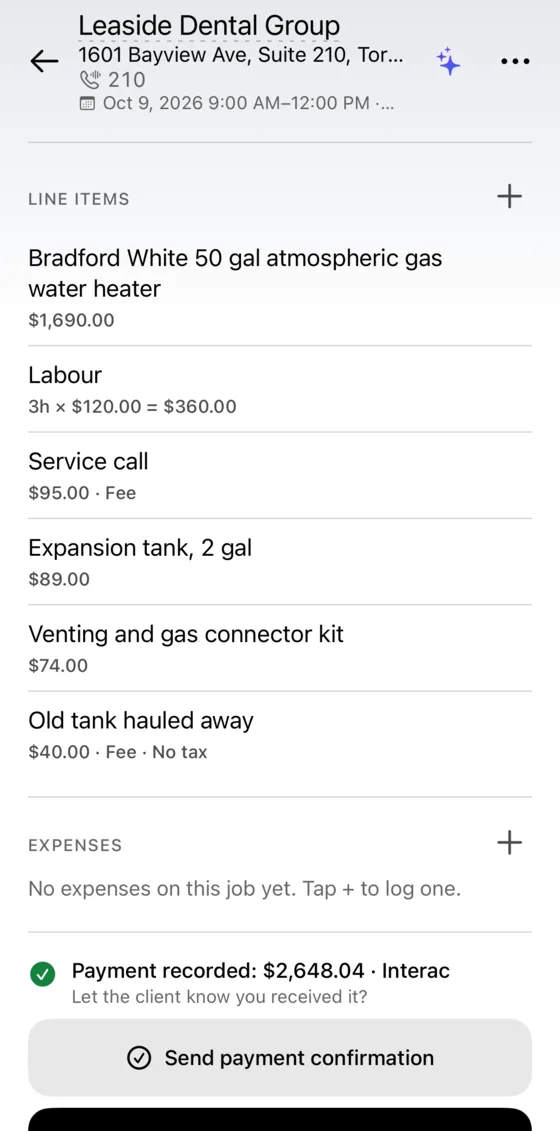
Add the items
Parts, labour hours and photos are added from the job.
- 2
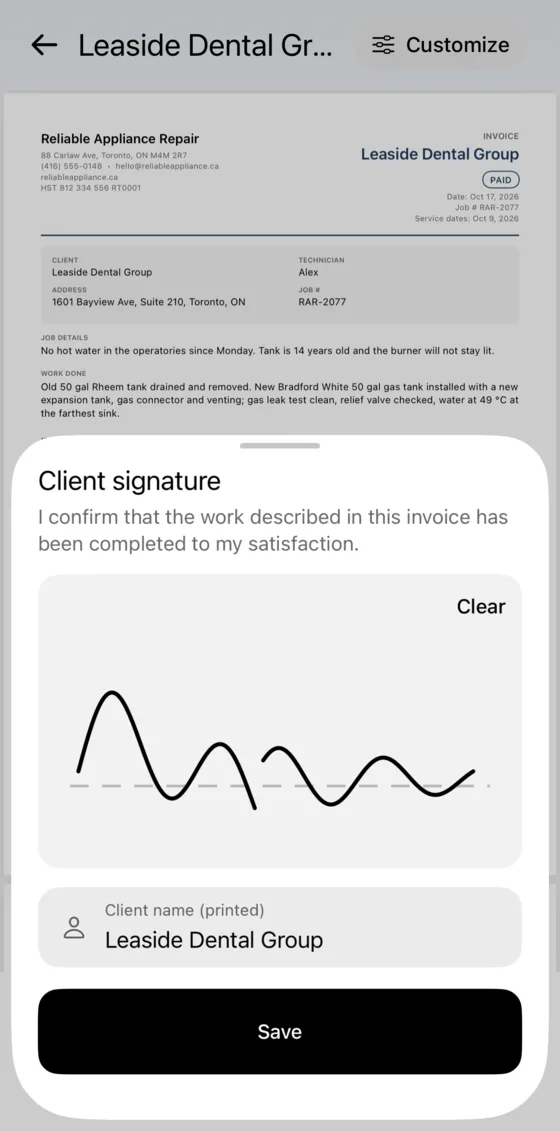
Get a signature
Your client signs on your phone.
- 3
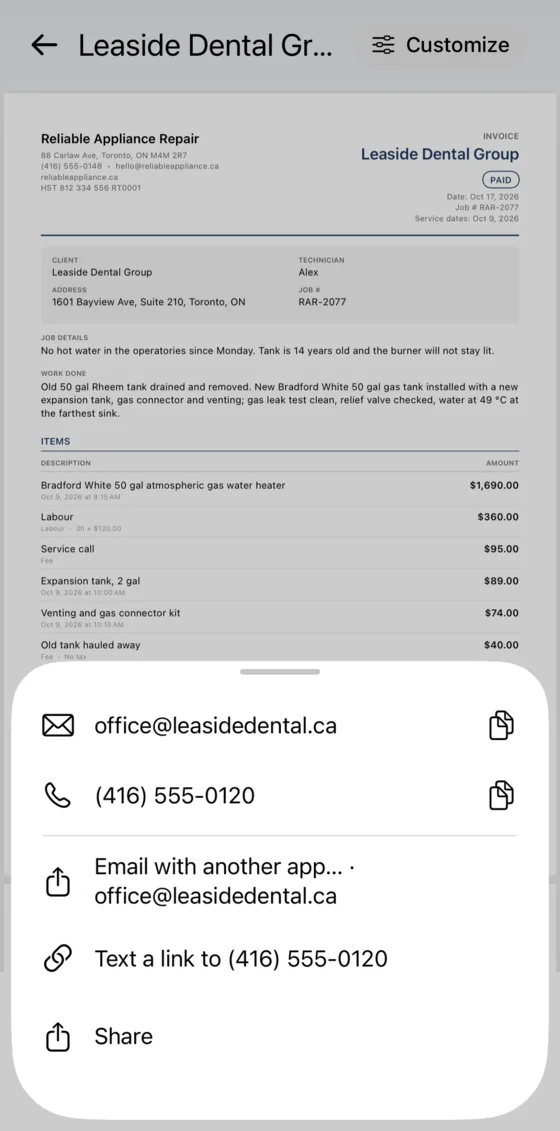
Send the invoice
Send the PDF and a pay link by text or email.
- 4
Collect payment
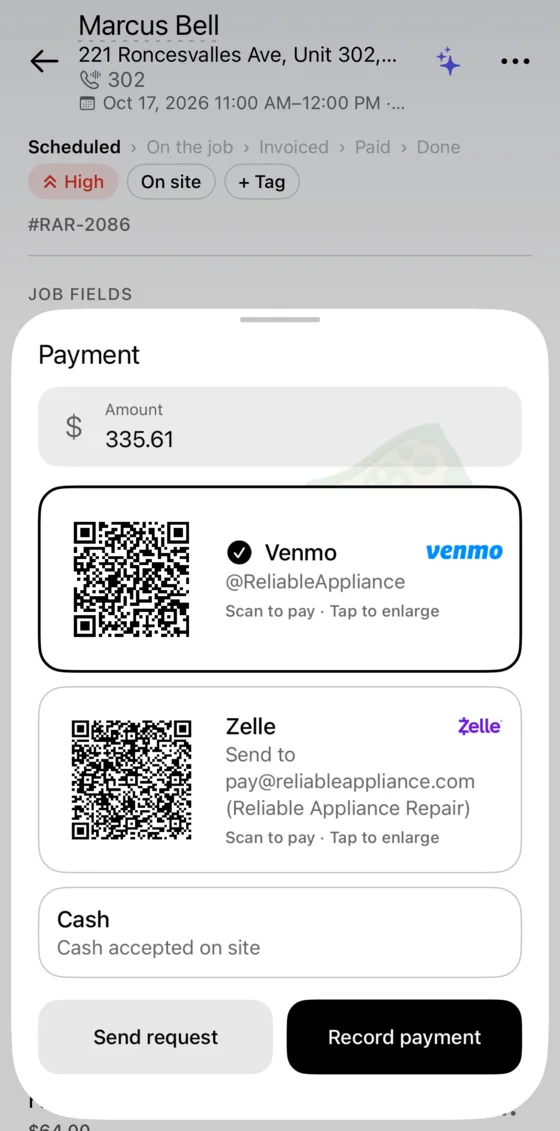
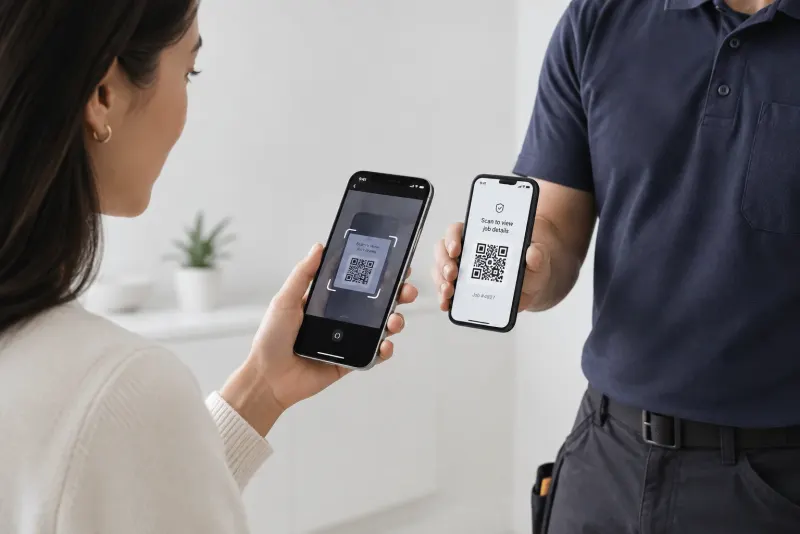
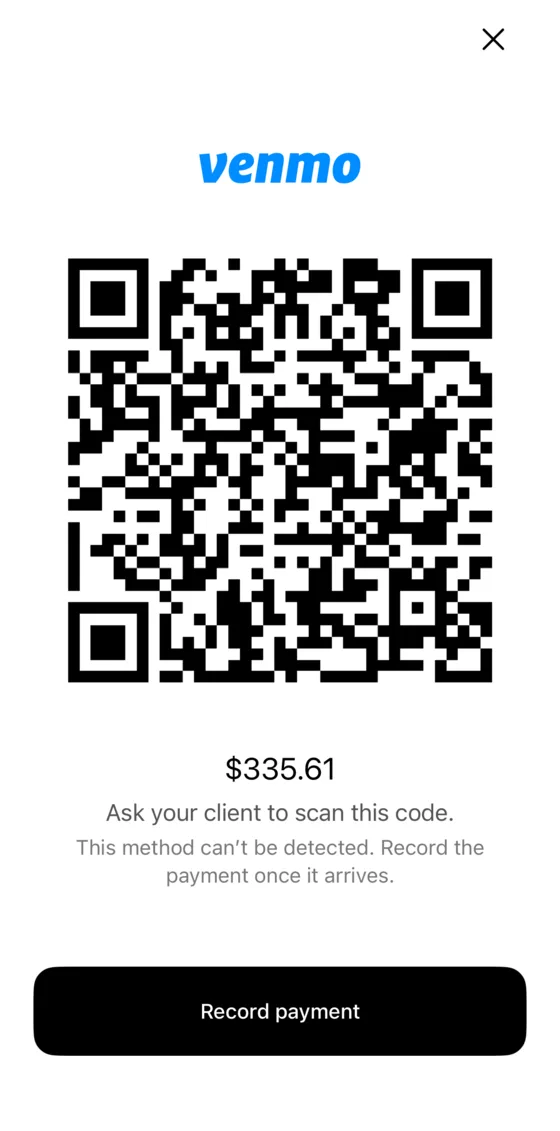
Take payment on the spot by QR code or transfer, or the client pays later from the link.
What you can add to an invoice
Warranty · 90 days
Your logo and colourPro
Add your logo, colour, terms and warranty period.
- Subtotal
- $2,348.00
- GST 5%
- $117.40
- QST 9.975%
- $234.21
- Total
- $2,699.61
Sales tax
Use any tax name and rate, add a second tax line, save rates by region and mark clients tax-exempt.
Client signature
Your client signs on your phone. The signature prints on the PDF.
- Total
- $2,648.04
- Deposit · Card · Oct 1
- −$500.00
- Interac · Oct 3
- −$2,148.04
- Balance due
- $0.00
Deposits and partial payments
Record each payment with its method and date. VisitIO shows the balance due.
✦ Write with AI
Removed the 14-year-old 50 gal tank. Installed a new gas water heater with expansion tank and venting; leak test clean.
Write with AIPro
AI drafts the summary of work from your notes. It never adds prices.
Works offline
You can create, sign and save invoices without signal. The pay link is sent when you are back online.
PaymentsPro
Get paid by card or transfer
Each invoice has a pay link and a QR code. Payments go straight to your bank account.
 Card, Apple Pay, Google Pay
Paid through your own Stripe account. Stripe charges its standard fee; VisitIO takes nothing.
United States, Canada, Australia, New Zealand, Brazil, & Mexico
Transfer apps, no fee
 United States
 United States
 Canada
 Australia
 Brazil
 Mexico
Bank transfer and cash work in every country.
Track unpaid invoices and send reminders
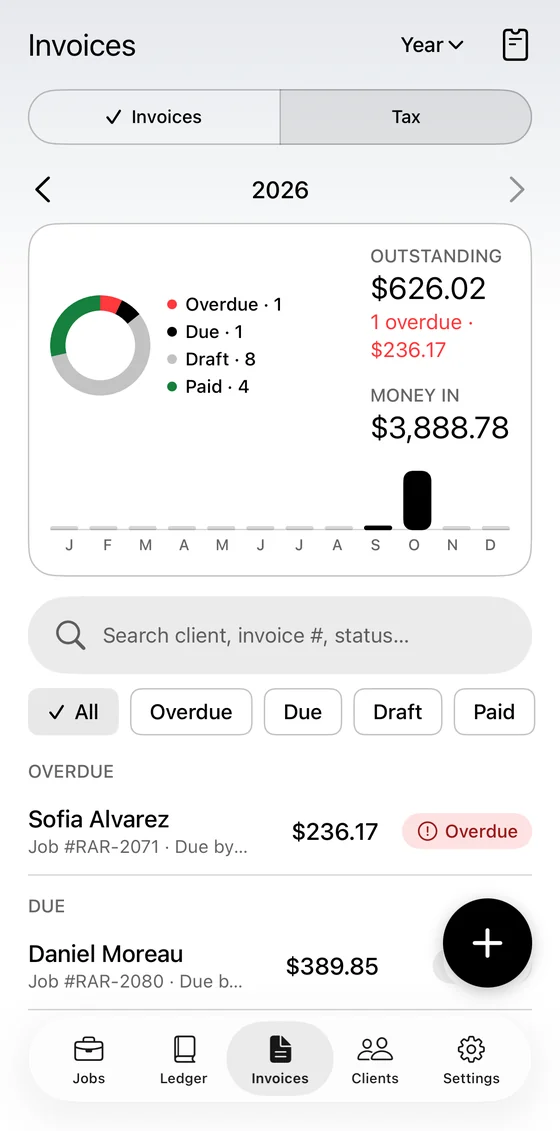
The Invoices tab shows what is outstanding, what is overdue and what you have been paid.
- Set a due date; overdue invoices are flagged
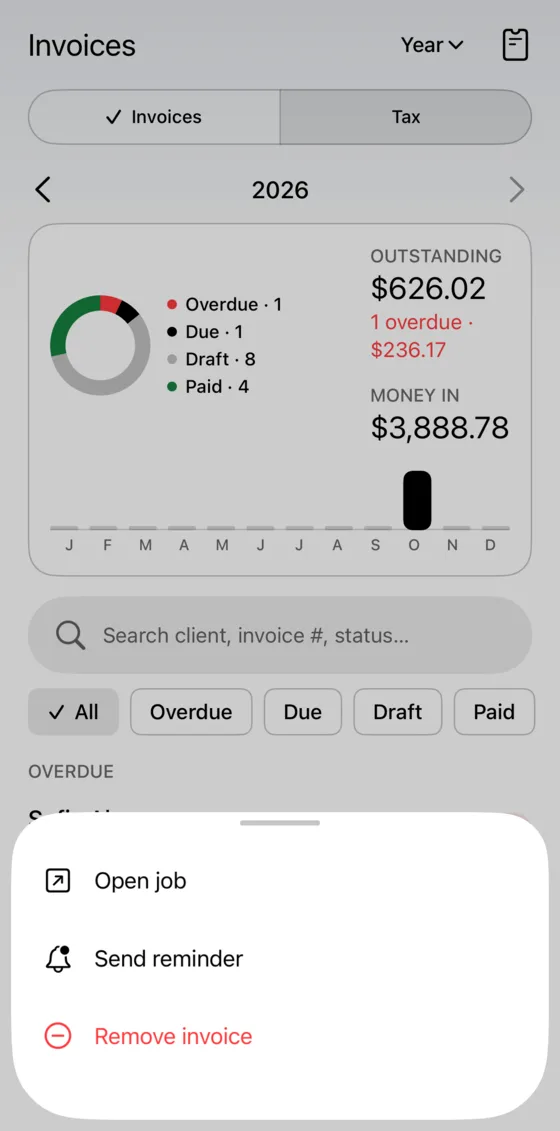
- Send a reminder with the pay link in one tap
- Search by client, number or status
Invoices in your client’s language
Invoices print in the language of the country you bill in.
Free · $0
10 invoices a month, plus 10 per referral.
PDFs, taxes, signatures, deposits and reminders included.
ProPro
Unlimited invoices, payment collection, your branding, Write with AI.
14-day free trial on monthly. Cancel any time in the store.
Invoicing questions
Does VisitIO take a cut of my payments?
No. Card payments go through your own Stripe account to your bank; you pay Stripe’s standard fee and nothing to VisitIO. Venmo, Zelle, Interac e-Transfer, Pix, SPEI and PayID cost nothing at all.
Can I invoice without signal?
Yes. Building, signing and saving the PDF all work offline. Sending the pay link waits until you’re back online.
Can one job have a deposit and a final invoice?
Yes. Record a deposit, partial payments and the balance, each with its method and date, and credit a paid service call against the repair.
Does it handle sales tax across provinces or states?
Yes. Name your taxes, print a second line such as GST + QST, save the rates you use and pick one per job, print your registration number, and mark clients tax-exempt.
Try VisitIO for your next invoice
The free plan includes 10 invoices a month. No card needed.
iPhone beta via Apple’s free TestFlight app.