Jobs and scheduling
Document jobs and schedule visits
Record photos, videos, notes and equipment details on each job. Schedule visits, send the client a confirmation and plan your route. Customers can also request a job from your own link.
iPhone beta via Apple’s free TestFlight app.
- jobs and clients, free
- ∞
- jobs and clients, free
- works without signal
- Offline
- works without signal
- for customers to request a job
- 1 link
- for customers to request a job
- languages on the request form
- 4
- languages on the request form
Field documentation
Record what you find and what you do on each job

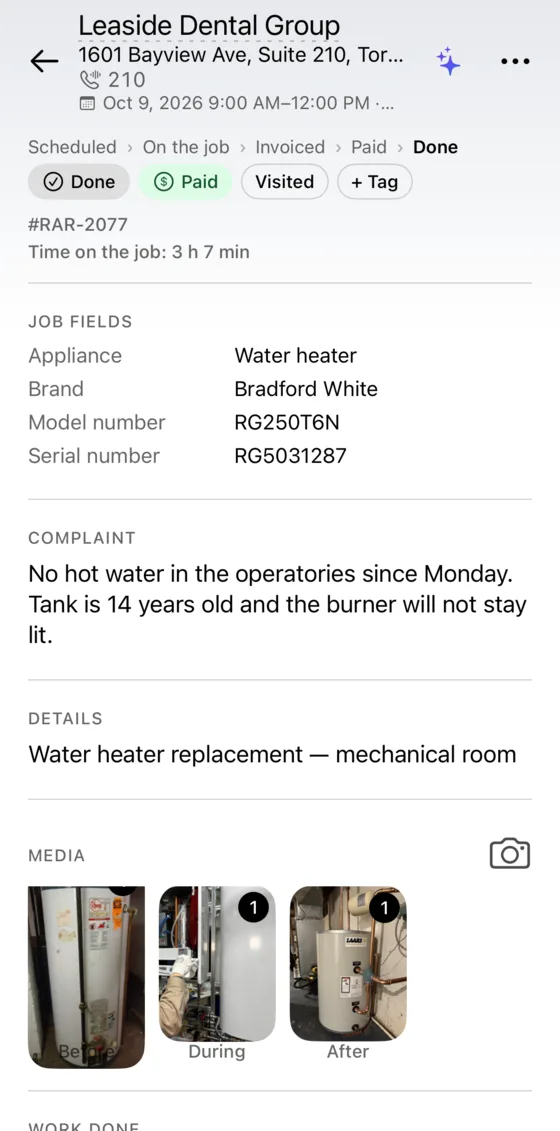
Before, during and after photos
Take photos in the app and tag them before, during or after. They print on the estimate and invoice.
- Before
- During
- After
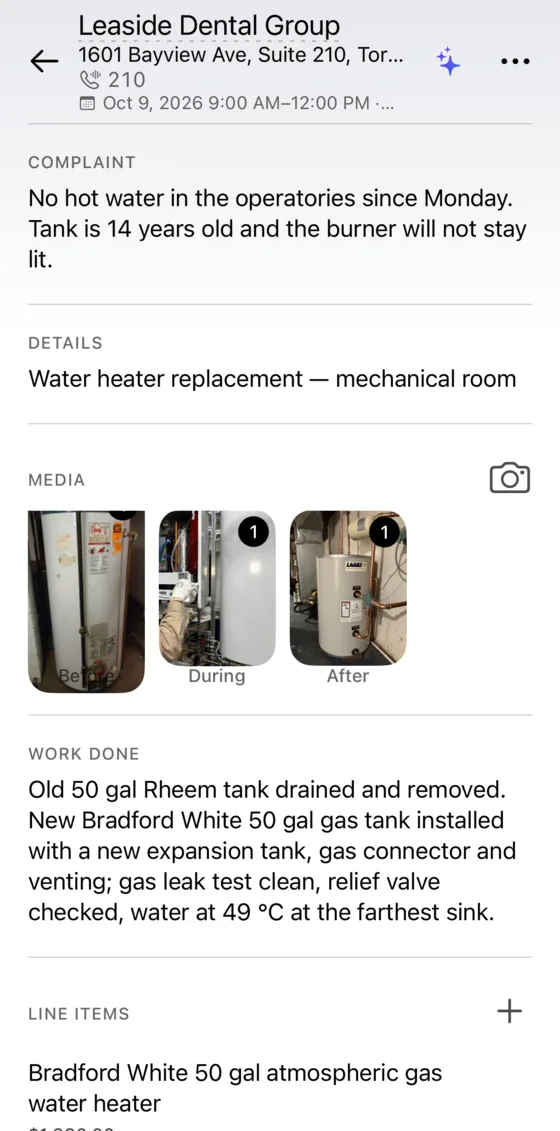
- Appliance
- Water heater
- Brand
- Bradford White
- Model
- RG250T6N
- Serial
- RG5031287
Custom fields for your trade
Add fields for what you record, such as model, serial number or refrigerant.
Unit number and buzzer code
They show on the job card, so you find the right door.
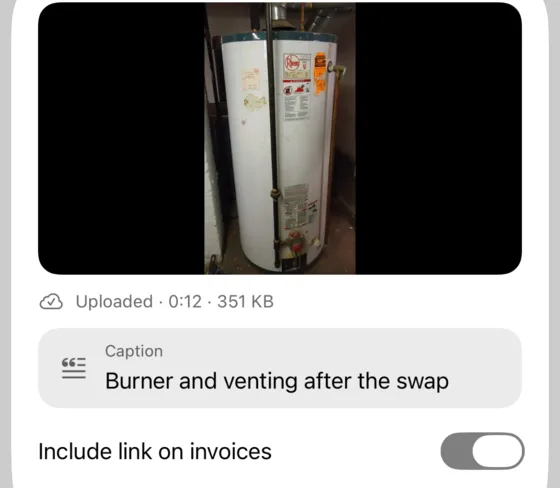
Job videosPro
Record a short video of the problem. A link to watch it can be printed on the invoice.
Labels and priority
Tag jobs and set a priority to sort your day.
Works offline
Jobs, photos and notes work without signal. They sync when you are back online.
Removed the 14-year-old 50 gal tank. Installed a new gas water heater with expansion tank and venting; leak test clean.
Notes on the work done
Write what you found and what you did. The notes print on the invoice under Work done.
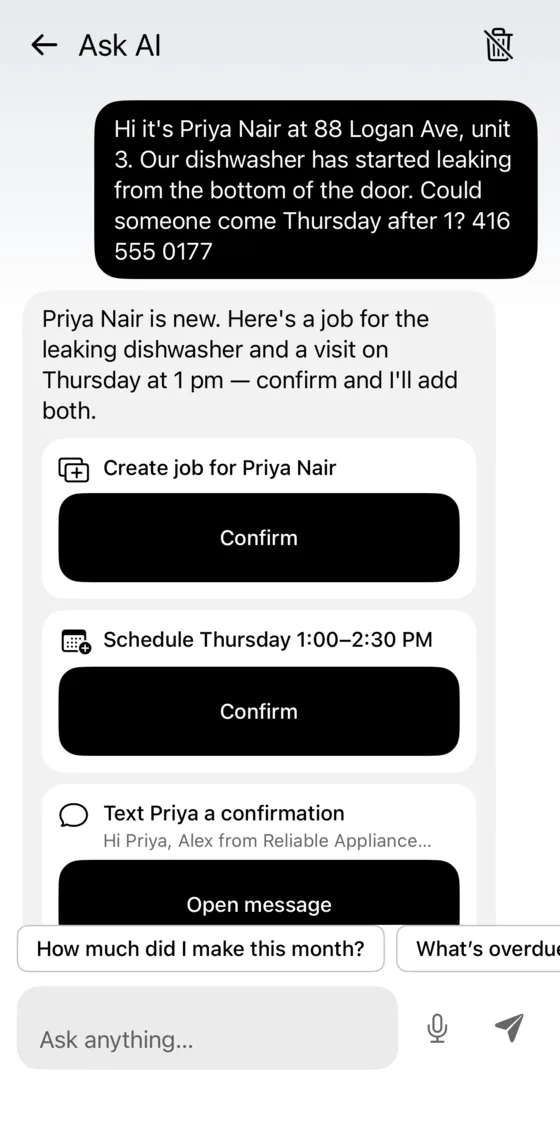
Create a job from a customer’s text messagePro
Paste the message into Ask AI. It proposes the job, the visit and a confirmation text for the customer. Nothing is saved until you confirm each one.

Appointments
Schedule visits and confirm them with the client
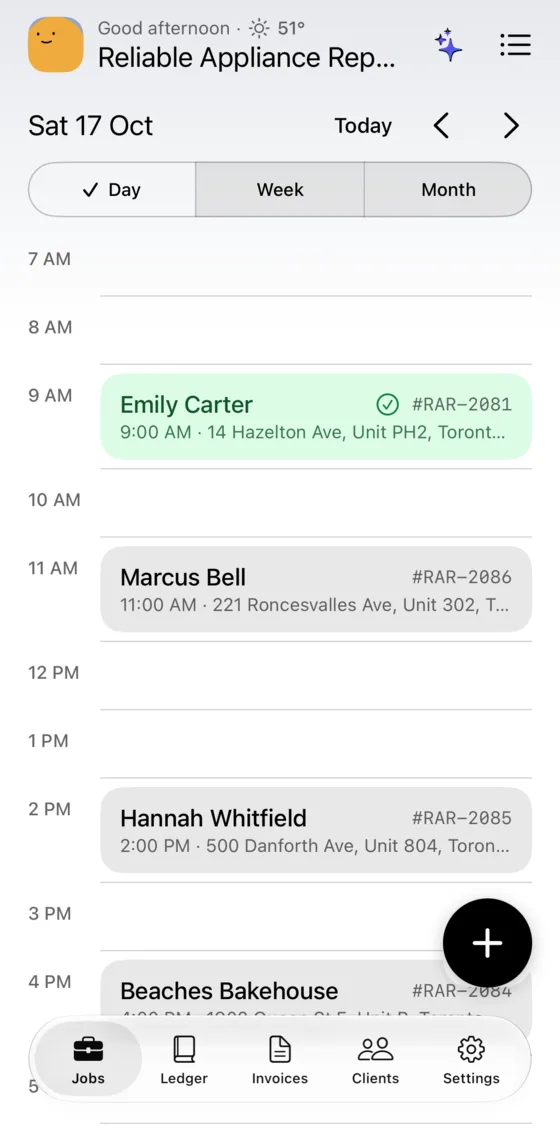
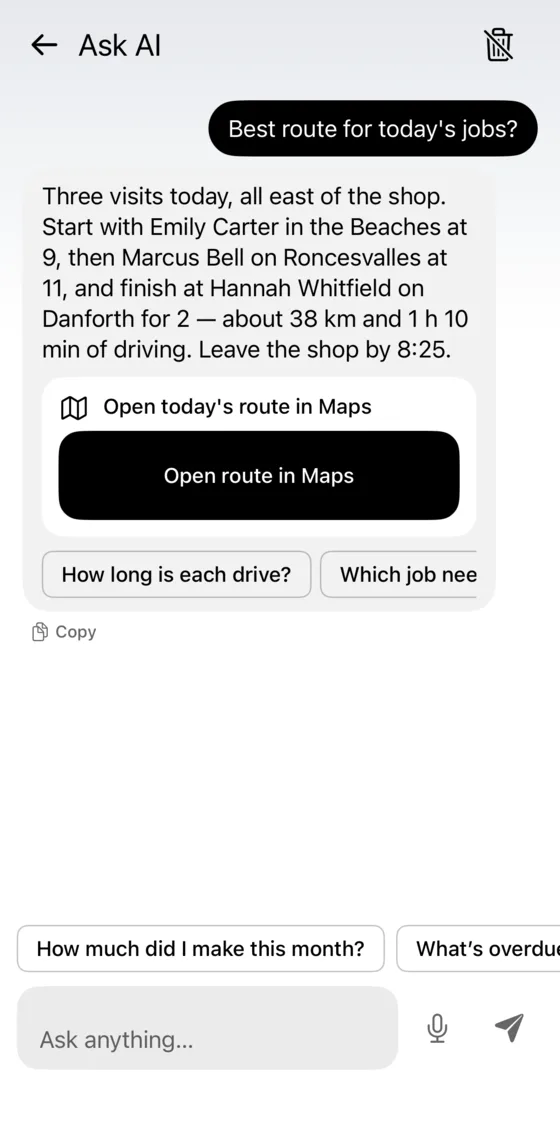
Book visits on the calendar, send the client a confirmation and plan the route for the day.
- Visits sync to your phone’s calendar, including Google Calendar accountsPro
- Set a default visit length and the gap between jobs
- Several visits per job, recurring jobs for contracts
- Confirmation texts that carry the pay link
- Best route for the day, mileage loggedPro
Your request linkPro
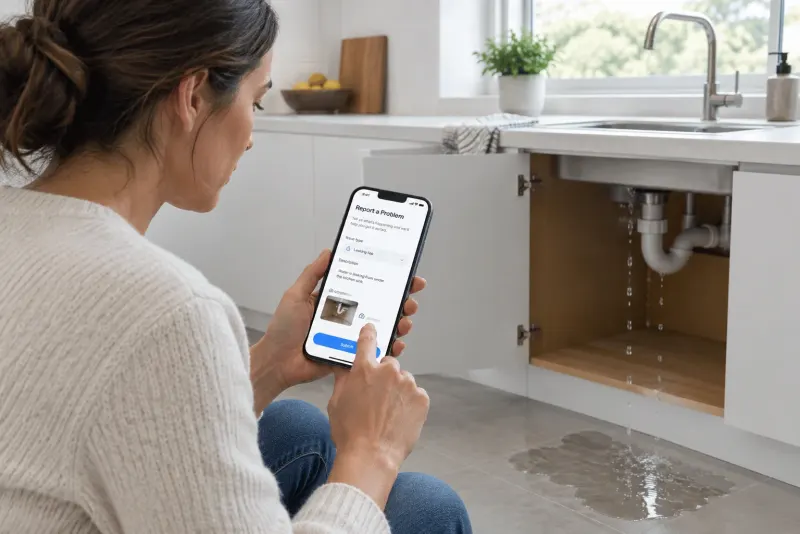
Let customers request a job online
Send your request link to a customer or add the button to your website. The customer fills in a form and the job appears in VisitIO, ready to schedule.
visitio.site/r/your-business
- 1
The customer fills in the form
They describe the problem and the appliance, and add the address with the buzzer code, photos and preferred times, in their language.
- 2
The job appears in VisitIO
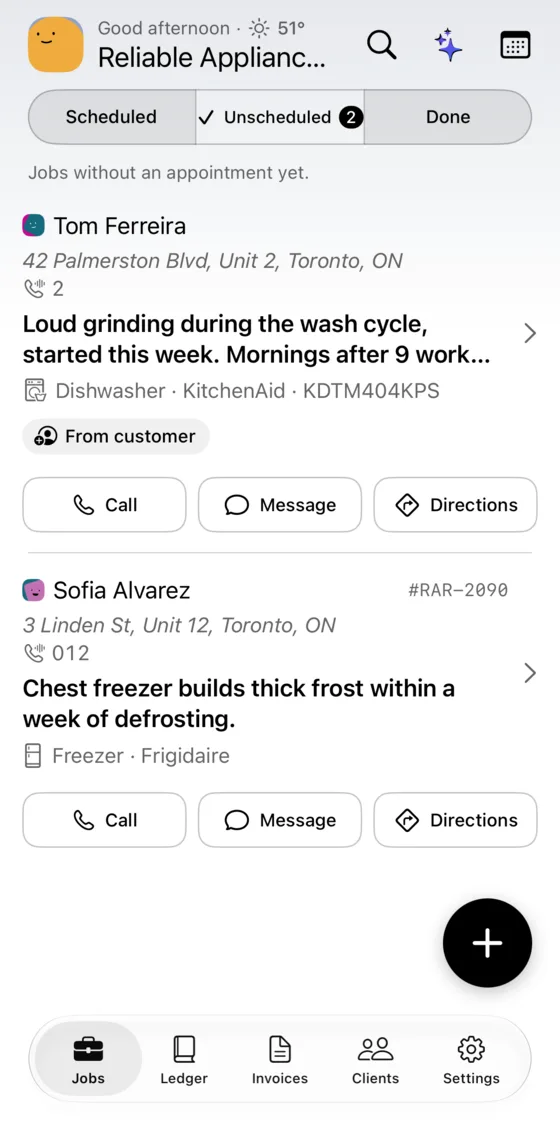
You get a notification. The job is in your Unscheduled list, the contact is matched by phone number and the photos are tagged Before.
- 3
You schedule the visit
Pick a time and send the customer a confirmation.
The button for your website

The form has spam protection, and you can pause the link at any time.
 VisitIO
New request · Tom Ferreira
Dishwasher grinding during the wash · Unit 2
Invoice the job when you finish
The invoice uses the job’s photos, parts and hours.
Jobs and scheduling questions
Do photos and notes work without signal?
Yes. Jobs, photos, notes and custom fields all work offline. Anything that needs the internet, like cloud backup or a video link, waits and runs when you’re back online.
Can customers book me directly?
With Pro, your business gets a link at visitio.site/r/your-business and a button for your website. Requests arrive in your Unscheduled list with a push notification; you pick the time.
Do visits show in Google Calendar?
Yes, if your phone’s calendar uses a Google account. With Pro, VisitIO copies scheduled visits to the calendar on your phone. You can also set a default visit length and the gap you want between jobs.
Can I handle recurring maintenance contracts?
Yes. Create recurring jobs, and give any job several visits when the work takes more than one trip.
Try VisitIO on your next job
The free plan includes unlimited jobs and clients. No card needed.
iPhone beta via Apple’s free TestFlight app.