Build a Job Record You Can Trust Before You Leave
Capture photos, measurements, voice notes and job details that make fieldwork easier to explain, invoice and finish.
· 5 min read
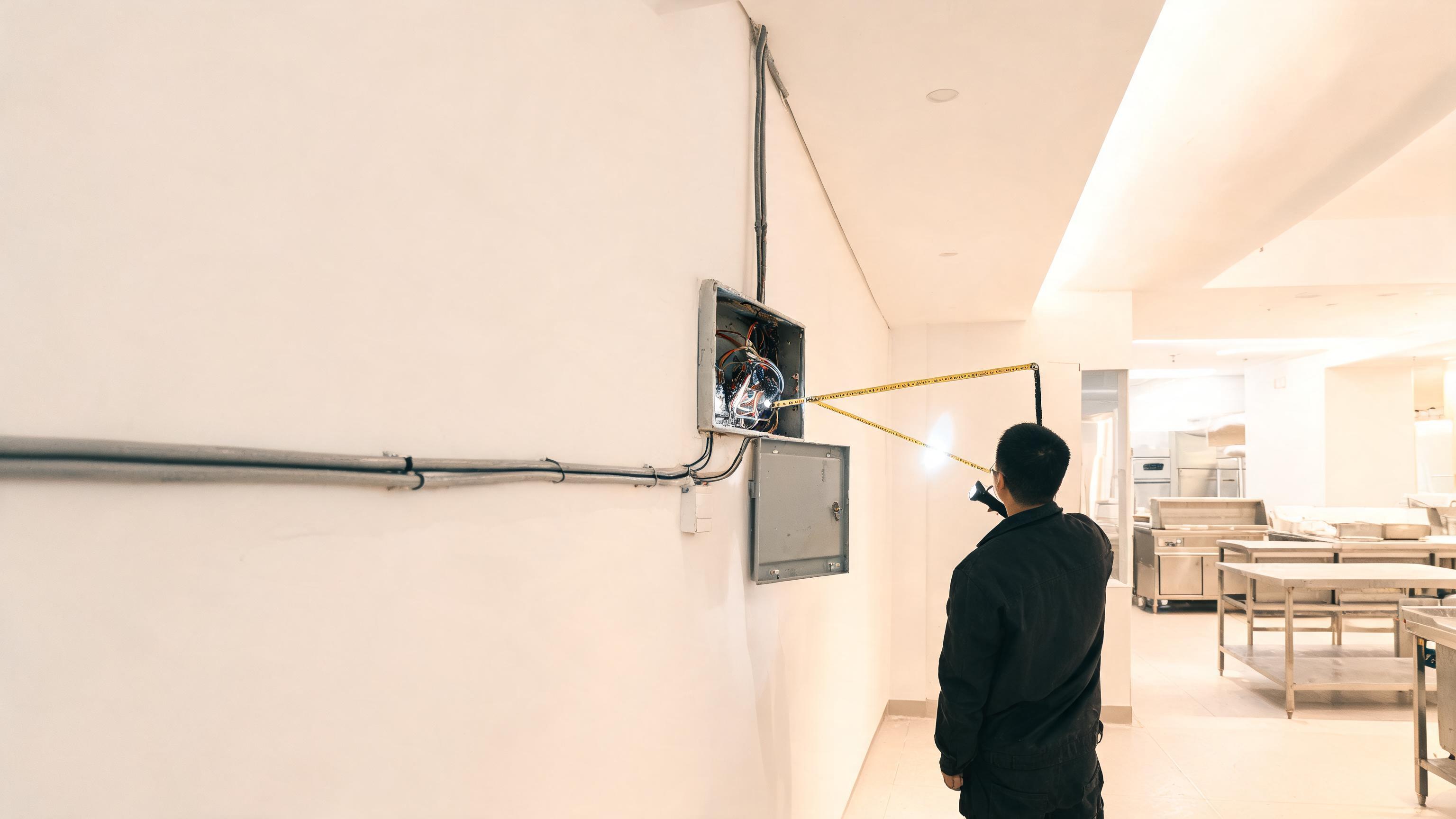
The details you notice on site are often the details you need later. A pipe connection hidden behind a cabinet, a damaged appliance panel, an unusual cable route or a measurement taken in a hurry can all matter when you write an estimate, answer a client’s question or return to finish the job.
The problem is not usually a lack of effort. It is that the evidence is spread across memory, paper notes, camera rolls and messages. A simple job record brings those details together while they are still fresh.
Think of it as a short handover to your future self. It should help you remember what you saw, explain what you did and make the next step obvious.
Capture the condition before you touch anything
Start with the original situation. Take a wide photo that shows the room or work area, then take closer photos of the fault, connection, damage or access point. This gives you context instead of a collection of unexplained close-ups.
For repair and maintenance work, include the information that identifies the item:
- Appliance brand, model and serial number
- Existing damage, wear or signs of a previous repair
- Pipe, valve, breaker or cable labels
- Access restrictions, clearance issues and surrounding surfaces
- Any safety concern or condition that could affect the work
Photograph labels and serial plates clearly enough to read later. If a part is difficult to reach, take the best safe photo you can and add a short note explaining what it shows.
Use measurements to remove guesswork
A measurement is more useful when its purpose is clear. Do not just record “120 cm.” Write what was measured: “120 cm from the floor to the centre of the outlet” or “120 cm cabinet width available for replacement unit.”
Capture measurements that affect the estimate, materials or return visit, such as:
- Available installation space
- Pipe or cable run length
- Door, stairway and access clearances
- Distance to a drain, water supply or electrical point
- Dimensions of parts that need to be ordered
When possible, take a photo with the tape measure in place. The image supports the written figure and makes it easier to check your work later.
Record what cannot be seen in a photo
Photos show conditions, but they do not capture every useful detail. A quick voice note can preserve your reasoning while you are still standing in front of the job.
Keep the note practical. Mention what you found, what you recommend and what remains uncertain. For example: “Water is entering at the rear inlet. The hose is cracked near the fitting. Recommend replacing the hose and checking the valve before testing.”
Voice notes are especially useful when your hands are dirty, the job is noisy or writing would interrupt the work. Convert the note into a short written summary when you prepare the estimate or invoice.
Separate facts from assumptions
A strong job record makes clear what you know and what still needs confirmation. This protects the quality of your estimate and helps prevent an informal comment from being treated as a promise.
- Observed: The appliance does not start and the display is blank.
- Tested: Power is present at the outlet.
- Recommended: Diagnose the control board and inspect the internal fuse.
- Not yet confirmed: The final part required and total repair cost.
This distinction is useful when a repair changes after disassembly. It also gives the client a clearer explanation of why the scope or price needs approval.
Keep evidence attached to the job, not in your camera roll
Evidence loses value when you have to search for it. Save photos, measurements, notes and client details in the same job record. That way, the information stays connected to the address, estimate, invoice and payment history.
Visitio lets you keep job photos, client history, estimates and invoices together on your phone, including when you are working offline. If you are building a more reliable end-of-job routine, start with this practical guide to invoicing before you leave. For a broader look at field-service workflows, visit the Visitio blog.
Turn the record into a clearer estimate
Before sending an estimate, review the evidence and check that the proposed work matches what you found. Include the relevant labour, parts, access requirements and any exclusions. If the job needs a second visit, say what that visit is for.
Clear evidence can also reduce unnecessary back-and-forth. A client may understand a replacement recommendation more easily when the estimate refers to a labelled photo, a measured clearance or a recorded test result.
Good evidence is not about creating paperwork. It is about making the next decision easier.
A five-minute record for every job
Before leaving the site, use this quick check:
- Take one context photo and the close-ups that explain the issue.
- Record the measurements that affect materials, access or scope.
- Save the model, serial number or equipment details.
- Add a voice note covering the finding, recommendation and open questions.
- Write the next action: quote, order, return, complete or invoice.
This routine is short enough for a busy day and detailed enough to help when the job comes back into focus hours or weeks later. It also gives property maintenance crews a clearer record when another person needs to understand the work.
Conclusion
Jobsite evidence is a memory aid, a scope check and a communication tool. Capture the condition, support key details with measurements and explain the parts a photo cannot show. When everything is attached to the job, you spend less time reconstructing what happened and more time moving the work forward.
Action for today: On your next Visitio job, create one record with three photos, one measurement and one voice note before you pack up. Then use that record to write the next estimate or invoice before leaving the client’s property. #invoice