Jobsite Evidence That Protects Your Time
Learn how photos, measurements, voice notes and site details make field jobs easier to quote, complete, explain and invoice.
· 5 min read
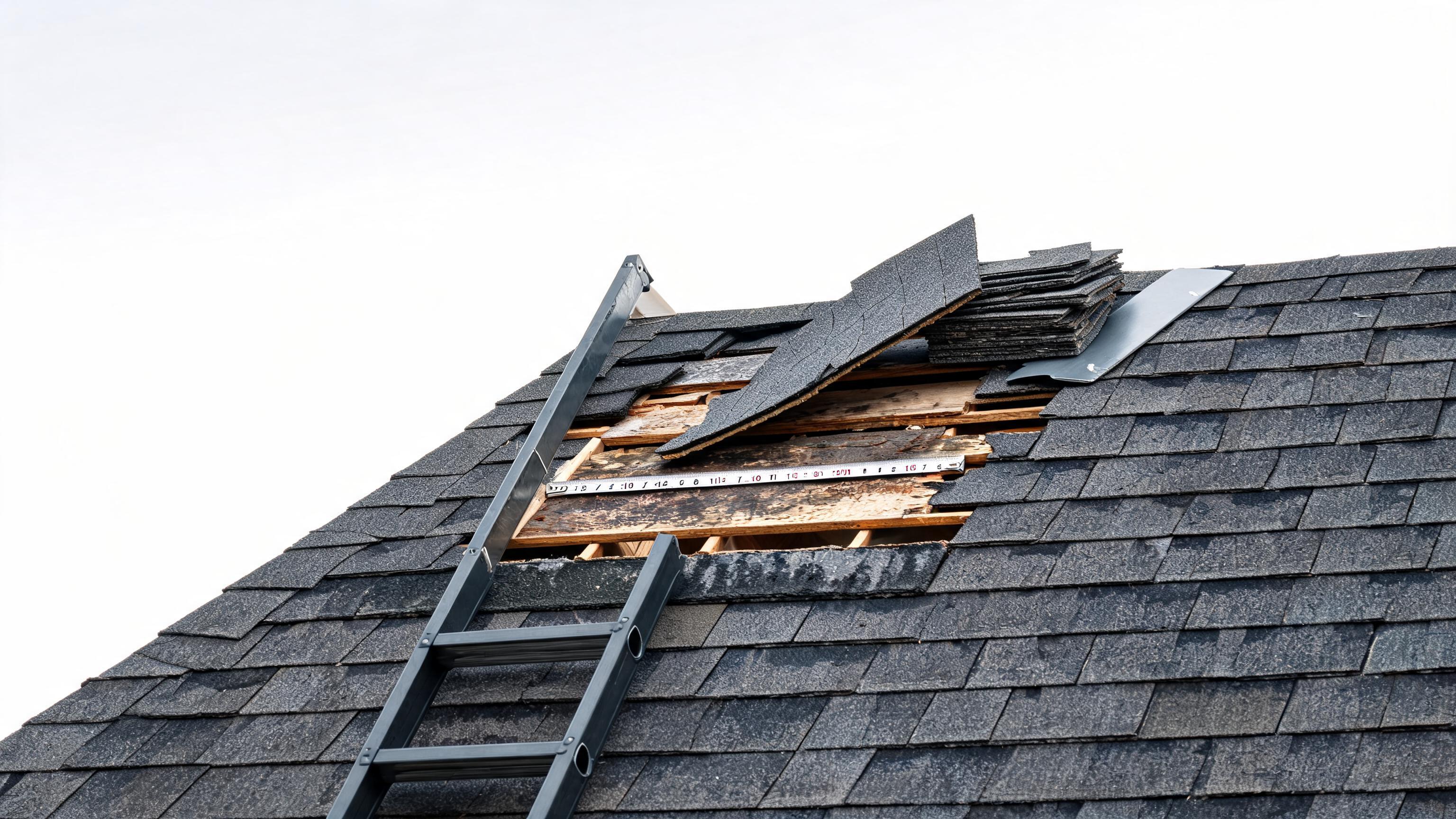
Small details are easy to lose between one job and the next. A model number written on a scrap of paper, a measurement remembered from memory, or a hidden defect mentioned in passing can become a delay, a return visit or a difficult invoice conversation.
Good jobsite evidence protects your time. A few clear photos, accurate measurements, a short voice note and basic site details give you a reliable record of what you saw, what you agreed to do and what you completed. That record helps when you are preparing an estimate, explaining a change in scope or sending the final #invoice.
Start with a simple evidence routine
You do not need to document every inch of a property. You need a repeatable routine that captures the information you will need later.
- Before work: record the existing condition, access points, equipment details and the customer’s request.
- During work: capture hidden conditions, measurements, parts and any change that affects the scope.
- After work: photograph the completed result, note tests performed and record anything the customer should know.
Keeping these records with the job is more useful than leaving them in your camera roll, text messages or memory. Visitio lets you keep job photos and client history together with estimates, invoices, payments and scheduling information, including when you need to work offline.
Take photos that explain the job
A useful photo answers a question. It should show what the issue is, where it is located or what changed after the work.
Before work
- Take a wide photo showing the room, equipment or work area.
- Take a closer photo of the fault, damage or condition you discussed.
- Photograph access restrictions, surrounding surfaces and anything that could affect protection or cleanup.
- For appliances and equipment, capture the model and serial labels clearly.
During work
- Photograph concealed damage or conditions that were not visible at the estimate stage.
- Capture pipe routes, wiring routes, connections and parts before they are covered.
- Take a photo when the customer approves a change in scope, where appropriate.
After work
- Show the finished installation or repair from a useful distance.
- Capture close-ups of connections, seals, controls or replaced parts.
- Photograph the area after cleanup when condition and presentation matter.
Keep the camera steady and include something that provides scale when the size of a defect or component matters. One clear photo is usually more valuable than several blurred ones.
Record measurements while they are in front of you
Measurements support better estimates and reduce unnecessary return trips. Record the number, the unit and what it refers to. “120” is not enough; “120 cm cabinet width” can be used later.
Useful measurements may include:
- Equipment dimensions and available clearance.
- Pipe, cable or duct lengths.
- Doorways, access routes and installation spaces.
- Room dimensions for maintenance or property work.
- Distances between connection points.
Photographing the tape measure in place can add context, but also write the measurement into the job record so it can be searched and understood quickly.
Use voice notes when typing slows you down
Voice notes are useful when your hands are busy or when a detail is easier to describe than to type. Make each note specific and short.
“Kitchen sink: customer reports leak only when the dishwasher drains. Trap connection is loose. Access is through the cabinet under the sink. Recommend replacing the worn washer and testing the full drain cycle.”
A good voice note includes the location, the observed condition, the customer’s request and your next step. Avoid relying on vague notes such as “needs parts” or “call customer.” If a note affects price or scope, say what changed and why.
Capture equipment and customer details
For appliance repair, heating, plumbing and electrical work, the details that identify the job are often as important as the fault itself. Record:
- Make, model and serial number.
- Age or installation history when known.
- Symptoms reported by the customer.
- Relevant error codes or test results.
- Parts needed, parts used and labour performed.
- Access instructions, parking information and safety considerations.
These details make follow-up easier and help you explain why a part, additional visit or change in price was needed. They also give you a useful history if the same customer calls again.
Connect evidence to scope and pricing
Evidence is most valuable when it is connected to the work you are quoting or billing. Before sending an estimate, review the photos, measurements and notes and check that the scope describes the actual job.
If the work changes, document the change before continuing where possible. A simple record should state:
- What was found.
- Why it affects the original scope.
- What additional work or materials are required.
- What the revised price or timing will be.
- How the customer approved the change.
This helps prevent “I thought that was included” conversations. It also gives you material for a clearer invoice that separates labour, parts and approved additional work.
Close the job before leaving the site
Take two minutes at the end of every visit to confirm that the record is complete. Check that the final photos are attached, measurements are understandable, parts are listed and the completion note says what was tested or demonstrated.
If payment is due, create the invoice while the job is still fresh. Visitio’s guide on invoicing before you leave the driveway covers the value of completing that step at the end of the visit. A same-day record is easier to trust than an invoice reconstructed days later.
Keep evidence organised and professional
Use consistent labels and avoid mixing personal photos with job records. If several people work on the same property, agree on a basic naming or note format so anyone reviewing the job can follow it.
Only collect information that is relevant to the work, and handle customer data responsibly. When using a field-service app, review its privacy and data practices and make sure your team knows who can access job records. Visitio’s customer data information is a useful place to review how customer details are handled.
One practical step to take today
For your next job, create a Visitio job record and capture three things before you leave: one completion photo, one clear note describing the work performed and one measurement or equipment detail that could matter later. Then use that record to prepare and send the invoice while the job is still fresh.
That small habit turns scattered field information into a reliable record—one that protects your time, supports clearer estimates and helps you get paid with fewer questions.